Interactive bulletins
Build the service program, assign participants, attach scripture and resources, and notify people when they are scheduled.
 ChurchGather
ChurchGather per le chiese
Uno spazio amministrativo mobile per bollettini, annunci, eventi, donazioni, risorse e partecipazione.
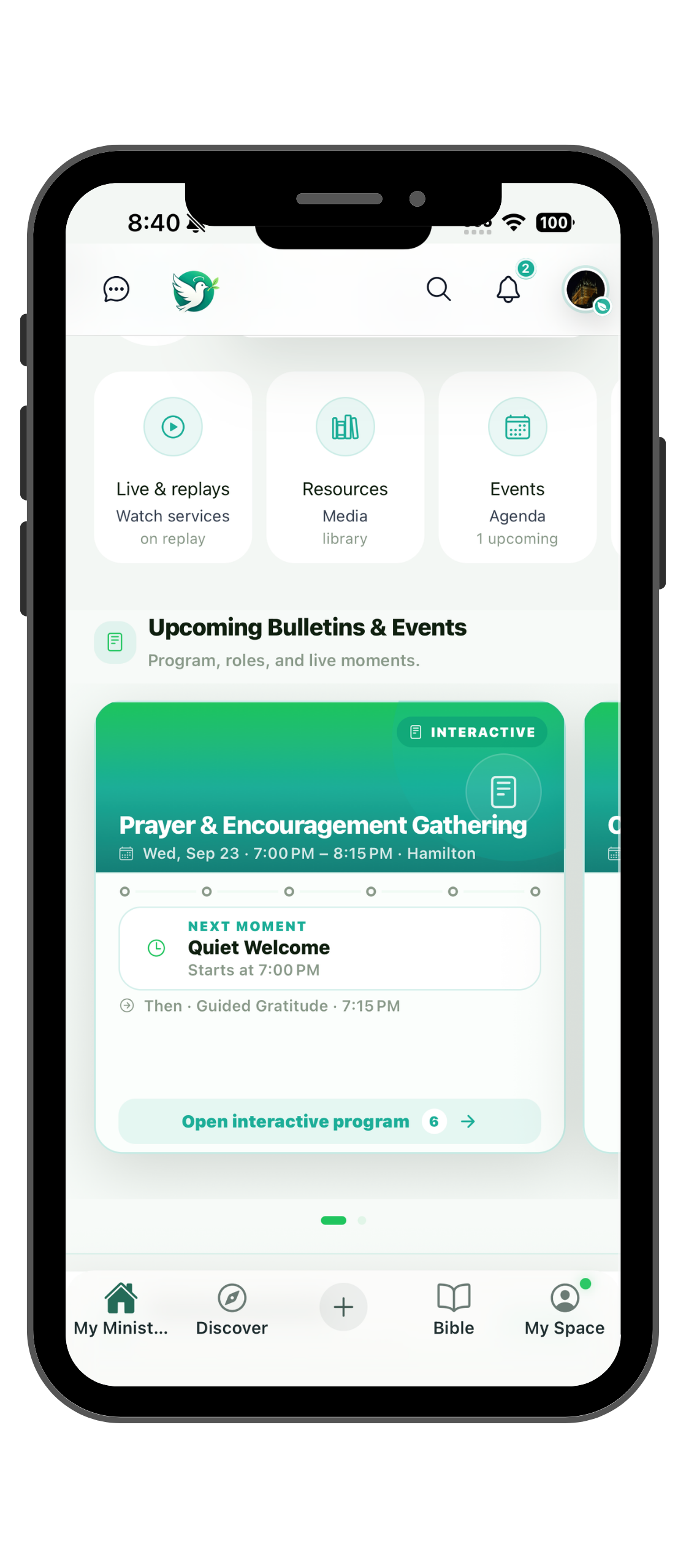

Church happens in the room
Pubblica bollettini, annunci e iscrizioni dal telefono.
Amministrazione mobile
Build the service program, assign participants, attach scripture and resources, and notify people when they are scheduled.
Manage registration, capacity, reminders, paid participation, QR check-in, and attendance.
Publish important updates and reach the right audience through app, text, and email workflows.
Connect Stripe, create giving opportunities, launch campaigns, or link your existing giving page.
Let approved pastors, ministry leaders, and volunteers contribute sermons, studies, songs, files, and media.
Give leaders the access they need, track responsibilities, and keep members informed about their part.
Giving that fits your church
Create clear giving opportunities without forcing your church into a single payment workflow.
Create general giving opportunities for offerings, missions, benevolence, ministry funds, and recurring generosity.
Launch a campaign around a project or cause with a clear purpose and visible goal.
Connect payments or contributions to events such as conferences, retreats, meals, or other paid participation.
Accept payments inside ChurchGather through your church's connected Stripe account, or send members to the giving website your church already uses.
Giving flow
ChurchGather does not force every church into the same financial setup. The church chooses the purpose and the payment path.
Choose general giving, a ministry fund, a campaign, or a paid event and explain clearly what the payment supports.
Use the church’s connected Stripe account for an in-app flow, or keep an external giving link to the platform your church already uses.
Members see the purpose before paying and can receive payment status, receipts, history, and refund information when supported by the payment flow.
For in-app payments, your church connects and completes onboarding for its own Stripe account.
For payments handled inside ChurchGather, the receiving church connects its own Stripe account. Stripe processes the transaction; ChurchGather organizes the church-facing giving experience around it.
Content that stays connected
ChurchGather adds context around the content your church already creates, so members can discover it as part of church life rather than across disconnected links.
Give members a dedicated place to discover live content, upcoming streams, replays, and recent church videos.
Connect your church's YouTube channel and bring eligible public videos, lives, and replays into ChurchGather while retaining visibility controls.
Organize useful texts, links, documents, images, audio, video, and other ministry resources in one library.
Group sermons, Bible studies, songs, prayer resources, teachings, videos, documents, and series into organized collections members can explore.
ChurchGather onboarding
Non devi sostituire tutto subito. Inizia dal bollettino, dalla comunicazione o dagli strumenti più utili alla tua chiesa, poi prosegui gradualmente.
Raccontaci le esigenze.
Ricevi aiuto per la configurazione.
Attiva profilo, bollettini, eventi e risorse.
I membri trovano le informazioni giuste.
Aiuto per configurazione, comunicazione, bollettini e media.
Richiedi assistenza individuale o per una chiesa o un ministero.
Download gratuito al lancioRichiedi assistenza individuale o per una chiesa o un ministero.
Accesso anticipato · 18:00 EDT